The Exposure Triangle Explained
The exposure triangle consists of three elements that control how much light reaches your camera's sensor: aperture, shutter speed, and ISO. These three settings work together to create a properly exposed image. Understanding their relationship is fundamental to photography, as adjusting one element requires compensating with another to maintain correct exposure. Mastering the exposure triangle allows you to make creative decisions rather than technical ones, choosing settings based on the artistic effect you want rather than merely achieving proper exposure.
Each element of the exposure triangle affects exposure differently and creates distinct visual effects. Aperture controls depth of field, shutter speed affects motion rendering, and ISO impacts image noise. Learning to balance these three elements while achieving your creative vision is the key to moving beyond automatic modes. While this may seem complex initially, with practice, adjusting these settings becomes intuitive, allowing you to respond quickly to changing light conditions and creative opportunities.
Aperture: Controlling Depth of Field
Aperture refers to the opening in your lens through which light passes, measured in f-stops like f/2.8, f/5.6, or f/16. Counterintuitively, smaller f-numbers represent larger apertures that allow more light to enter. Aperture directly controls depth of field—the zone of acceptable sharpness in your image. Large apertures like f/1.8 create shallow depth of field with beautifully blurred backgrounds, perfect for portraits. Small apertures like f/16 produce deep depth of field where both foreground and background appear sharp, ideal for landscapes.
Choosing aperture depends on your creative intent. For portraits, use apertures between f/1.8 and f/4 to isolate your subject with a soft, blurred background that draws attention to their face. For group shots, use f/5.6 to f/8 to ensure everyone stays sharp. Landscape photographers typically use f/8 to f/16 for front-to-back sharpness. Remember that every lens has a sweet spot, usually 2-3 stops from its maximum aperture, where image quality is optimal. Extremely wide apertures may produce soft edges, while very small apertures can introduce diffraction that reduces sharpness.
Shutter Speed: Freezing or Blurring Motion
Shutter speed determines how long your camera's sensor is exposed to light, measured in fractions of a second like 1/500, 1/125, or several seconds. Fast shutter speeds freeze motion, perfect for sports or wildlife photography, while slow shutter speeds create motion blur, useful for artistic effects like smooth waterfalls or light trails. The shutter speed you need depends entirely on your subject and creative vision.
As a general rule, use a shutter speed at least as fast as one over your focal length to avoid camera shake. With a 50mm lens, shoot at 1/60 second or faster. For a 200mm lens, use 1/250 second or faster. Image stabilization allows you to shoot at slower speeds, typically gaining 2-4 stops. To freeze action, use 1/500 or faster for walking subjects, 1/1000 or faster for running or sports. For intentional motion blur in waterfalls, try 1-4 seconds. For light trails at night, use exposures of 15-30 seconds. Always use a tripod for shutter speeds slower than you can handhold steadily.
ISO: Managing Sensitivity and Noise
ISO controls your sensor's sensitivity to light, with higher values making the sensor more sensitive, allowing photography in darker conditions. ISO typically ranges from 100 to 6400 or higher on modern cameras. However, increasing ISO introduces digital noise—graininess that reduces image quality. The key is using the lowest ISO that allows proper exposure with your desired aperture and shutter speed.
In bright conditions, use ISO 100 or 200 for the cleanest images with minimal noise. As light decreases, gradually increase ISO to maintain proper exposure. Modern cameras handle higher ISOs remarkably well—don't be afraid to use ISO 1600 or 3200 when necessary. A slightly noisy, properly exposed image is always better than an underexposed one. Different cameras handle high ISO differently; test yours to understand where noise becomes objectionable. Many cameras produce acceptable results at ISO 3200, while some struggle above ISO 800. Knowing your camera's limits helps you make informed decisions in challenging light.
Balancing the Triangle: Practical Examples
Understanding how aperture, shutter speed, and ISO interact is crucial for quickly adjusting settings in the field. Imagine photographing a portrait outdoors on a sunny day. You want a blurred background, so you choose f/2.8. This large aperture lets in lots of light, requiring a fast shutter speed like 1/2000 to avoid overexposure. Your ISO stays at 100. Now imagine the same portrait at sunset with less light. You still want f/2.8 for the blurred background, but now you need 1/250 shutter speed and ISO 800 to properly expose the image.
Consider photographing a waterfall. You want silky-smooth water, requiring a slow shutter speed of 2 seconds. To prevent overexposure in daylight, you use f/16 and ISO 100. If it's still too bright, add a neutral density filter to reduce light further. For indoor sports, you need to freeze action with 1/500 shutter speed. The gym lighting is dim, so even with your lens wide open at f/2.8, you need ISO 3200 for proper exposure. These examples demonstrate how changing one setting necessitates adjusting others to maintain exposure while achieving your creative vision.
Metering Modes and Exposure Compensation
Your camera's metering system measures scene brightness and calculates exposure settings. Understanding metering modes helps you achieve accurate exposure in different situations. Evaluative or matrix metering analyzes the entire scene, working well for evenly lit situations. Center-weighted metering prioritizes the middle of the frame, useful for portraits. Spot metering measures a small area, perfect for high-contrast scenes or when you want to expose for a specific element.
Even with sophisticated metering, cameras can be fooled by unusual lighting. Very bright scenes like snow cause underexposure, while very dark scenes cause overexposure as the camera tries to render them middle gray. Use exposure compensation to override the camera's metered exposure. Dial in +1 or +2 stops for snow scenes to keep them bright white, or -1 to -2 stops for predominantly dark scenes. Check your histogram frequently—this graph shows the distribution of tones in your image, helping you ensure proper exposure without relying solely on the camera's LCD, which can appear different in various lighting conditions.
Shooting Modes: When to Use Each
Modern cameras offer various shooting modes that control how much manual input you provide. Program mode automatically sets aperture and shutter speed but allows you to adjust other settings like ISO and exposure compensation. Aperture priority mode lets you choose aperture while the camera selects shutter speed, perfect when depth of field is your priority. Shutter priority mode lets you set shutter speed while the camera chooses aperture, ideal when controlling motion is most important.
Manual mode gives you complete control over all settings, essential for consistency in changing light or when automatic modes struggle, like in very dark or very bright conditions. While manual mode seems intimidating, it's actually straightforward once you understand the exposure triangle. Many photographers use aperture priority for most shooting, switching to manual for challenging lighting or when they want absolute control. The best mode depends on your subject and situation—use the mode that helps you work most efficiently while achieving your creative vision.
Focus Modes and Autofocus Points
Sharp focus is as important as proper exposure. Modern autofocus systems are sophisticated, but understanding focus modes and autofocus points ensures you achieve sharp focus where you want it. Single-shot or one-shot AF locks focus when you half-press the shutter, perfect for stationary subjects. Continuous or AI Servo AF continuously adjusts focus for moving subjects, essential for sports and wildlife. AI Focus or automatic AF switches between modes based on subject movement.
Autofocus point selection determines where your camera focuses. Single-point AF lets you choose one focus point, providing precise control over focus placement—ideal for portraits where you want sharp eyes. Zone or dynamic AF uses a cluster of points, helpful for subjects moving unpredictably. Automatic AF point selection lets the camera choose, which works well for simple compositions but can focus on the wrong element in complex scenes. For portraits, always use single-point AF positioned on your subject's nearest eye for critically sharp results.
White Balance: Achieving Accurate Colors
White balance adjusts color temperature to ensure whites appear white under different lighting conditions. Auto white balance works well in most situations, but understanding white balance presets and custom white balance produces more accurate colors. Daylight preset is for sunny outdoor conditions, cloudy preset adds warmth to counteract blue light on overcast days, and tungsten preset cools the orange cast from indoor bulbs.
Fluorescent and flash presets handle their respective light sources. For the most accurate color, use custom white balance by photographing a white or gray card and setting it as your white balance reference. If you shoot in RAW format, white balance adjustments are non-destructive and can be perfected in post-processing. Many photographers shoot auto white balance in RAW, knowing they can adjust it later. However, getting white balance right in-camera saves editing time and helps you visualize the final image while shooting.
Putting It All Together: Practice Exercises
Understanding camera settings intellectually is just the beginning—practical application develops true proficiency. Start with aperture priority mode, experimenting with different apertures to see their effect on depth of field. Photograph the same subject at f/2.8, f/5.6, f/11, and f/16, observing how background blur changes. Next, practice with shutter priority, photographing moving subjects at various shutter speeds from 1/30 to 1/2000 second, seeing how motion is rendered differently.
Try manual mode in controlled conditions, adjusting all three settings to achieve proper exposure. Start indoors with consistent light, using your camera's light meter to guide you toward correct exposure. As you grow comfortable, practice in changing light conditions, developing the ability to quickly adjust settings. Challenge yourself to switch between aperture priority, shutter priority, and manual mode, choosing the most efficient mode for different situations. With consistent practice, camera settings become second nature, allowing you to focus on composition and capturing decisive moments rather than technical concerns.
Conclusion
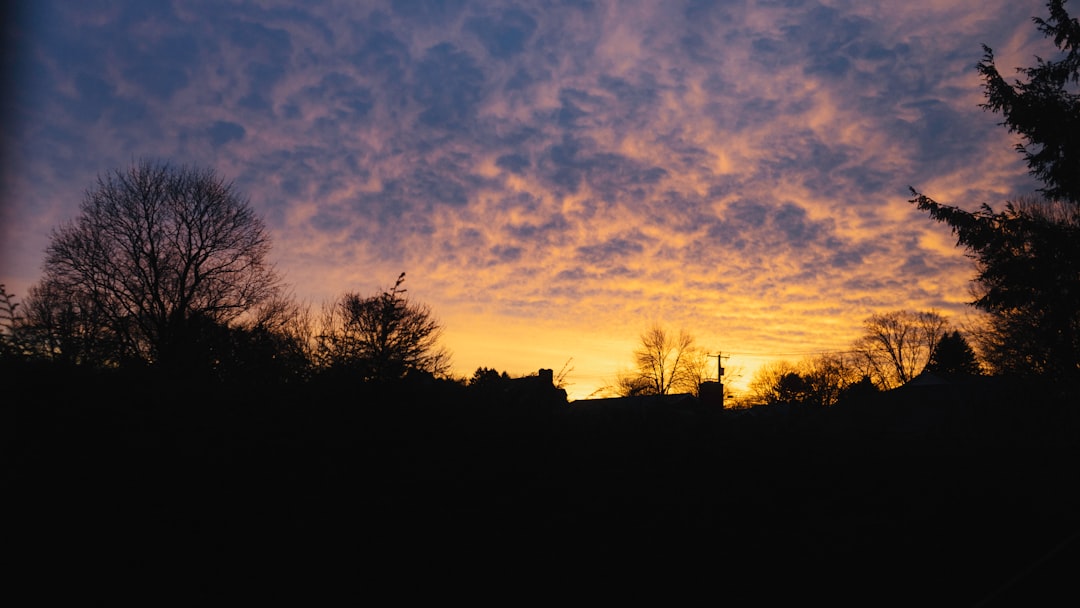
Mastering camera settings transforms you from a passive photographer accepting automatic settings into a creative artist making deliberate choices. Understanding aperture, shutter speed, and ISO—and how they interact within the exposure triangle—gives you complete control over exposure and creative effects. Remember that perfect exposure isn't always the goal; sometimes intentionally underexposed silhouettes or motion-blurred images create more impact. Use these technical skills as tools to realize your creative vision. Practice regularly, experiment fearlessly, and soon manual camera control will feel natural, freeing you to focus entirely on seeing and capturing compelling photographs.